Document what you find. Where you find it.
The 3D Body Viewer gives massage therapists a visual, anatomically accurate way to document session findings. Mark tension patterns, trigger points, adhesions, and restricted areas directly on a rotatable 3D model — then link findings to treatment plans, track changes across sessions, and share relevant information with clients through their portal.
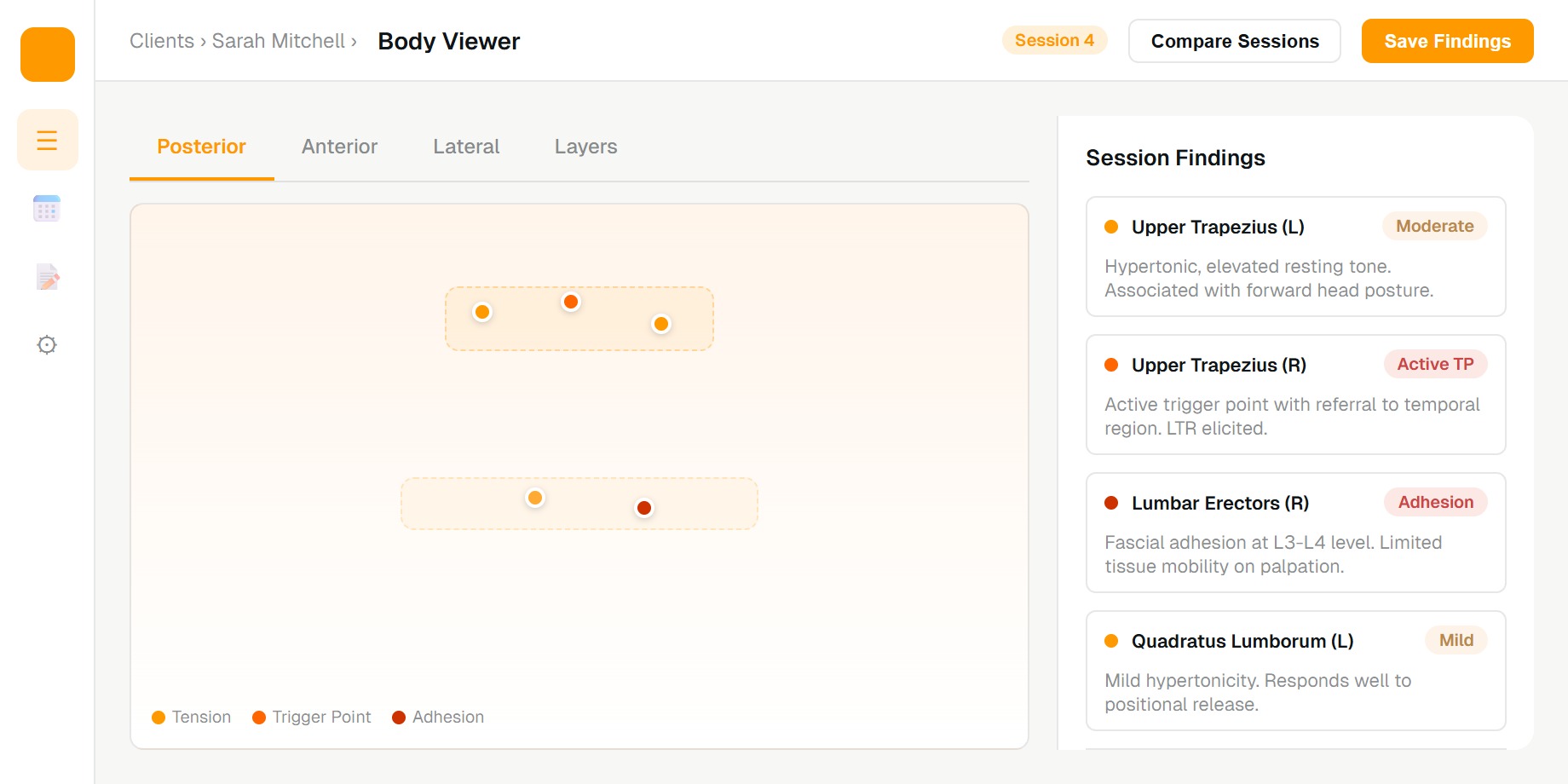
“Tension in the upper trapezius” doesn't capture what you actually found.
Massage therapy is spatial. Findings have location, depth, and relationship to surrounding structures. Text descriptions lose that context. A body viewer preserves it — so the next session starts with a visual map of exactly where you left off, not a paragraph you have to reinterpret.
Place markers on the exact anatomical location — not a general region, but the specific point you palpated.
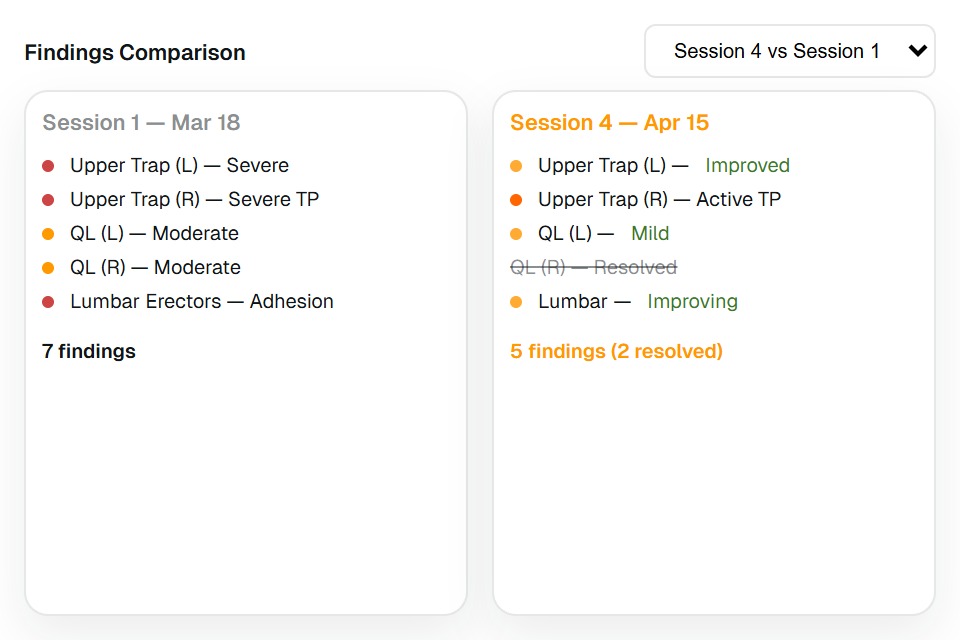
Compare body maps across sessions. See which findings resolved, which persisted, and which are new.
Show clients their progress visually. A map that shows fewer markers over time is more compelling than any chart.
Finding types
Mark what matters. Classify it properly.
Hypertonic regions with elevated resting tone. Grade severity and note associated postural patterns.
Myofascial trigger points with referral patterns. Document active vs latent status and response to treatment.
Fascial adhesions and fibrotic tissue. Note depth, mobility, and response to manual techniques.
Areas of acute or chronic inflammation. Document heat, swelling, and contraindication considerations.
Joint or soft tissue restrictions affecting range of motion. Link to objective ROM measurements.
Define your own finding types for specialized techniques or conditions your practice sees frequently.
Frequently asked questions
Your hands find things. Your software should remember where.
See how the MassageClient 3D Body Viewer turns session findings into a persistent, visual clinical record.